
Jackpotjoy Mobile App: Download, Features & How to Play on Mobile
Fancy a few bingo tickets on the sofa or a quick spin on the bus? The Jackpotjoy mobile app puts the whole site in your pocket, and this guide covers everything UK players need to know — from downloading it on Android or iPhone to logging in, depositing and cashing out on the go.
How good is Jackpotjoy on mobile?
Jackpotjoy works very well on mobile: there is a free native app for both iOS and Android, plus a fully optimised mobile browser version of the site. The app hosts mobile bingo games, top slots and daily free games, and it mirrors the desktop lobby closely, so nothing feels stripped back.
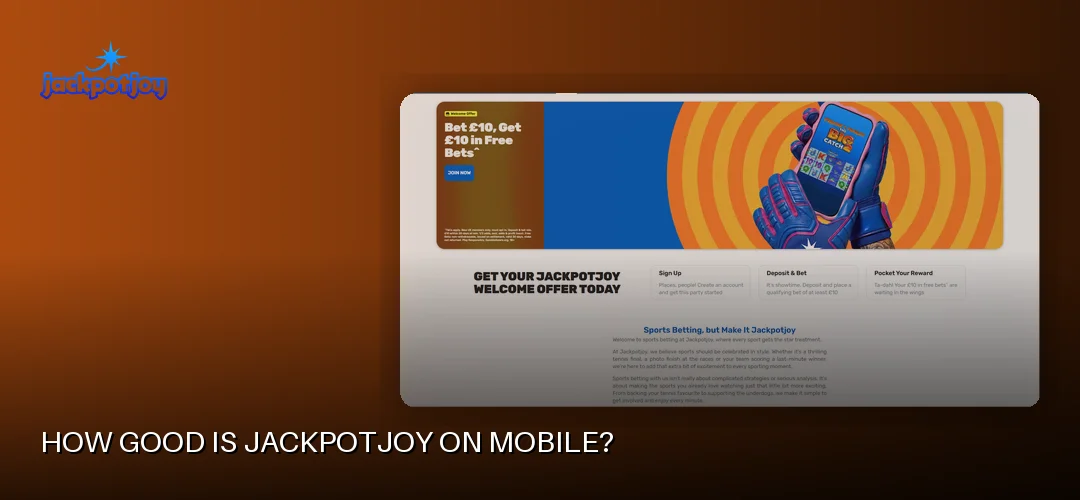
The operator behind it, Gamesys Operations Limited (part of Bally’s Corporation, alongside Virgin Games, Monopoly Casino and Rainbow Riches Casino), runs Jackpotjoy under UK Gambling Commission licence number 38905 — so this is a properly regulated UK product, not a grey-market download. Jackpotjoy has been online since 2002, and the mobile offering benefits from that long track record.
Review listings give a useful snapshot of how players rate it: the iOS app sits at 4.7/5 from 32,000+ ratings (with a download size of 91.3MB), while the Android version holds 4.3/5 from 15,500+ ratings. Those are solid scores for a real-money gambling app, where reviews can be unforgiving.
The mobile lobby covers online bingo in 75-ball, 80-ball and 90-ball formats, slots, Slingo, arcade and instant games such as scratchcards, table games and live casino titles. Flagship slot Double Bubble from Roxor Gaming is there too, along with content from providers including Pragmatic Play, Inspired Gaming, Gamevy and Evolution for the live tables. Demo and free play modes are available if you want to try games without staking anything, and players must be 18 or over.
How to download the Jackpotjoy app
Downloading the Jackpotjoy app is free and takes a couple of minutes: Apple users get it from the App Store, and Android users from their app store, with an APK option available. The mobile browser site needs no download at all.
Jackpotjoy app for Android and APK download
On Android, search for Jackpotjoy in the Google Play Store and tap Install — the Jackpotjoy mobile app for Android is a free download, with no charge for any part of it. Where an APK is offered instead, only ever grab it via the official site link: sideloaded APKs from random download portals are a genuine security risk with real-money apps. If you install an APK, Android will ask you to allow installations from that source, which you can switch back off afterwards.
Jackpotjoy app for iPhone and iPad
On iOS, open the App Store, search for Jackpotjoy and tap Get. The app is 91.3MB according to its listing, so it downloads quickly on Wi-Fi and works on both iPhone and iPad. Tablet users get the same lobby, just with more breathing room — handy in busy bingo rooms where the ticket grid and chat share the screen.
Installation, permissions and requirements
Setup is straightforward:
- Download from the App Store or your Android store, or install the APK from the official source.
- Open the app and allow the permissions it requests — typically notifications and location (location checks are required for UK-licensed gambling apps to confirm you are playing from within the permitted territory).
- Log in with your existing Jackpotjoy details or register a new account if you are a new member.
If you would rather not install anything, the mobile browser version of the site covers the same ground — games, cashier, promotions and support all run in Chrome or Safari.
What can you do in the Jackpotjoy app?
The Jackpotjoy app gives you the full casino and bingo experience: bingo rooms, slots, daily free games, live casino, the cashier and account tools, all built around touch controls. It is not a cut-down companion app — it is the main way many players use the site.
Games on mobile
Mobile bingo is the headline act: 75-ball, 80-ball and 90-ball rooms with ticket buying, auto-daub and chat all working smoothly on a touchscreen. Mobile slots cover the same catalogue as desktop, including Double Bubble and titles from Pragmatic Play and Inspired Gaming. Slingo, scratchcards, table games and the Evolution-powered live casino round things out. Live tables stream fine over decent 4G or Wi-Fi, though Wi-Fi is the safer bet for longer sessions.
Daily free games and promotions
The app hosts daily free games — free-to-play titles where regular players can pick up prizes without a stake. New members registering via mobile can also claim the standard welcome offers, which are identical to desktop:
Welcome bonus: Play £10, Get £30 of Free Bingo* or Play £10, Get 100 Free Spins**. Free spins: 100 Free Spins (on Fishin Frenzy The Big Catch 2). Bonus terms/wagering: New members only, must opt in. Not valid with other Welcome Offer(s). Min £10 deposit & £10 wager on slots game(s) (or on bingo for the bingo offer). 30 day expiry from deposit. Free Spins: on Fishin Frenzy The Big Catch 2. 1p coin size, 10 lines. Play Responsibly. GambleAware.org. 18+. Min deposit: £10.
Notifications and design
Push notifications alert you to bingo sessions about to start, new promotions and account activity — you can trim these in your phone settings if they get chatty. The interface uses big, thumb-friendly buttons, and bingo tickets are sized so you can follow multiple cards without squinting. The cashier, responsible gambling tools and 24/7 live chat are all reachable from the app menu, so there is no need to switch to a laptop for admin tasks.
How do you log in to the Jackpotjoy app?
To log in, open the app and enter the same username and password you use on the Jackpotjoy website — your account, balance and bingo loyalty all carry over automatically. UK players use one login across app and desktop, so there is nothing separate to set up.
On Android, the login flow is identical: tap the app icon, enter your credentials on the login screen and you are in. Devices that support it can use biometric login — fingerprint on Android, Face ID or Touch ID on iPhone — which is worth switching on, as it is both quicker and safer than typing a password in public.
If the app login misbehaves, the usual fixes apply:
- Check you are on the latest app version — out-of-date builds are the most common cause of login failures.
- Reset your password via the “forgotten password” link if credentials are rejected.
- Toggle between Wi-Fi and mobile data; flaky connections can make it look like the app is down when it is not.
- If Jackpotjoy itself appears to be down, the 24/7 live chat and email support team can confirm whether there is a known outage.
Can you deposit and withdraw in the app?
Yes — the Jackpotjoy app includes the full cashier, so deposits and withdrawals work entirely on mobile. Accepted methods are Visa Debit, Visa Electron, Mastercard debit, Apple Pay and Google Pay, with bank transfer available for withdrawals; credit cards are not accepted, in line with UK regulations.
The minimum deposit is £10. Maximum deposits run up to £10,000 per transaction on debit cards and Google Pay, and up to £5,000 on Apple Pay. Apple Pay and Google Pay are particularly handy on mobile — a fingerprint or face scan and you are done, no card numbers to type.
For withdrawals, the minimum is £10 on Visa Debit, Mastercard and Apple Pay, with a £25,000 per-transaction cap on Visa Debit and Mastercard. Jackpotjoy aims to process withdrawals within 4 to 24 hours — pending requests are usually processed within 4 hours — and then the timeline depends on your method:
- Visa Direct: as quick as 4 hours after processing
- Mastercard debit: up to 1 working day after processing
- Visa Debit: up to 3 working days after processing
- Bank transfer: up to 1 working day after processing
So for Apple Pay withdrawal time specifically: once Jackpotjoy processes the request (typically inside 4 to 24 hours), funds return to the card linked to your Apple Pay wallet, and the overall wait broadly follows the debit card timings above. A closed-loop policy applies, meaning withdrawals go back to the method you deposited with, and KYC verification — an ID document plus payment method documents if requested — must be completed before your first withdrawal. Get that done early and payouts are painless.
Is the app or the browser better for playing?
The native app is the better choice for regular players — faster access, biometric login and push alerts for bingo sessions — while the mobile browser suits occasional visits or phones short on storage. Game selection is essentially the same across app, browser and desktop, so you are not missing titles either way.
Practical differences come down to convenience. The app keeps you logged in (with biometrics as the gatekeeper), remembers your favourite rooms and loads the lobby a touch quicker than a cold browser session. The browser version wins when you are on a borrowed device or a work phone where installing gambling apps is not appropriate. Desktop still has the edge for marathon bingo sessions with lots of tickets on screen, simply because of display size — but for slots, Slingo and casual bingo, mobile holds its own comfortably.
One thing to note whatever device you use: responsible gambling tools — financial limits, session reminders, session limits, cool-off periods from 24 hours to six weeks, self-exclusion from 6 months to 5 years and GAMSTOP — are all accessible in the app, with support from GamCare and GambleAware if you need it.
Frequently asked questions about Jackpotjoy
Does Jackpotjoy have a mobile app?
Yes. Jackpotjoy offers a free native app for iOS and Android, hosting mobile bingo games, top slots and daily free games. The site is also fully optimised for mobile browsers, so downloading the app is optional rather than essential.
How do I download the Jackpotjoy app?
iPhone and iPad users download it free from the App Store; Android users find it in the Google Play Store, with an APK option available via the official site. Search “Jackpotjoy”, tap install, then log in or register. Only ever download from official sources.
Is the Jackpotjoy app available for Android?
Yes, there is a dedicated Jackpotjoy Android app, rated 4.3/5 from over 15,500 reviews on its listing. It is a free download from the Play Store, and an APK is offered for devices where that is needed. The app covers bingo, slots, Slingo and live casino.
Can I play all Jackpotjoy games on mobile?
Effectively yes — the mobile lobby matches desktop, covering 75, 80 and 90-ball bingo, slots including Double Bubble, Slingo, scratchcards, table games and the Evolution live casino. Demo and free play modes are available on mobile too, so you can try games without staking money.
How do I log in to the Jackpotjoy app?
Open the app and enter the same username and password you use on the Jackpotjoy website — one account works everywhere. You can enable fingerprint or Face ID login for quicker, more secure access. If login fails, update the app or reset your password.
Is the Jackpotjoy mobile app safe?
Yes. Jackpotjoy is operated by Gamesys Operations Limited under UK Gambling Commission licence 38905, with independent testing by NMi. The app uses the same account security and verification checks as the desktop site, and biometric login adds another layer of protection on your device.
Can I deposit and withdraw using the Jackpotjoy app?
Yes, the full cashier is built in. Deposit from £10 using Visa Debit, Visa Electron, Mastercard debit, Apple Pay or Google Pay. Withdrawals start from £10, are processed within 4 to 24 hours, and KYC verification is required before your first payout.
Why won’t the Jackpotjoy app work on my phone?
Usually it is an outdated app version, a weak connection or full storage — update the app, restart your phone and check your signal. Location permissions must be enabled for UK-licensed play. If problems persist, contact the 24/7 live chat support team via the mobile site.
That covers everything you need to get Jackpotjoy running on your phone or tablet. If you are ready to grab the app and claim the welcome offer, the link below takes you straight there.